
Environments
Firebase Desk assumes developers often have several Firebase environments for the same app.
Mock data
Section titled “Mock data”Mock mode and the browser demo use local fixtures. They are useful for learning the UI, capturing docs screenshots, and separating app behavior from Firebase credentials.
Local emulators
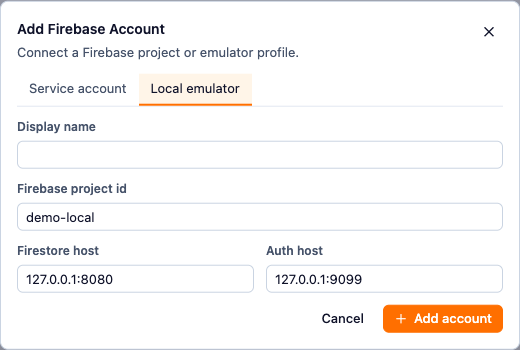
Section titled “Local emulators”Emulator projects use explicit host settings for Firestore and Auth. Use them as the default place to validate write workflows.
Production
Section titled “Production”Production projects use service account JSON in the desktop app. Name them clearly and rely on live badges, tab connection labels, confirmations, and Activity to keep writes intentional.
Switching targets
Section titled “Switching targets”Tabs are connection-aware. When a tab changes connection, Firebase Desk clears connection-scoped Firestore/Auth/JS runtime state so stale data from another environment is not presented as current.