
Activity
Activity is the local audit trail for Firebase Desk. It is useful when you move between emulators, staging, and production and need to answer: what did I run, where did it run, did it succeed, and can I get back to the target quickly?
What gets recorded
Section titled “What gets recorded”Activity entries are created by the main workflow commands instead of passive UI watchers. That keeps manual actions, background jobs, and app-level recovery paths consistent.
- Firestore queries, document writes, conflicts, and collection jobs.
- Authentication user operations and custom-claims changes.
- JavaScript Query runs, cancellations, failures, logs/results summary, and duration.
- Project, workspace, settings, update, and app recovery events.
- Job starts, completions, failures, interruptions, cancellations, and cleanup.
Each entry has an area, status, action, summary, timestamp, optional duration, optional target, metadata, and error detail.
Reading the drawer
Section titled “Reading the drawer”Open Activity from the status bar. Newest entries appear first.
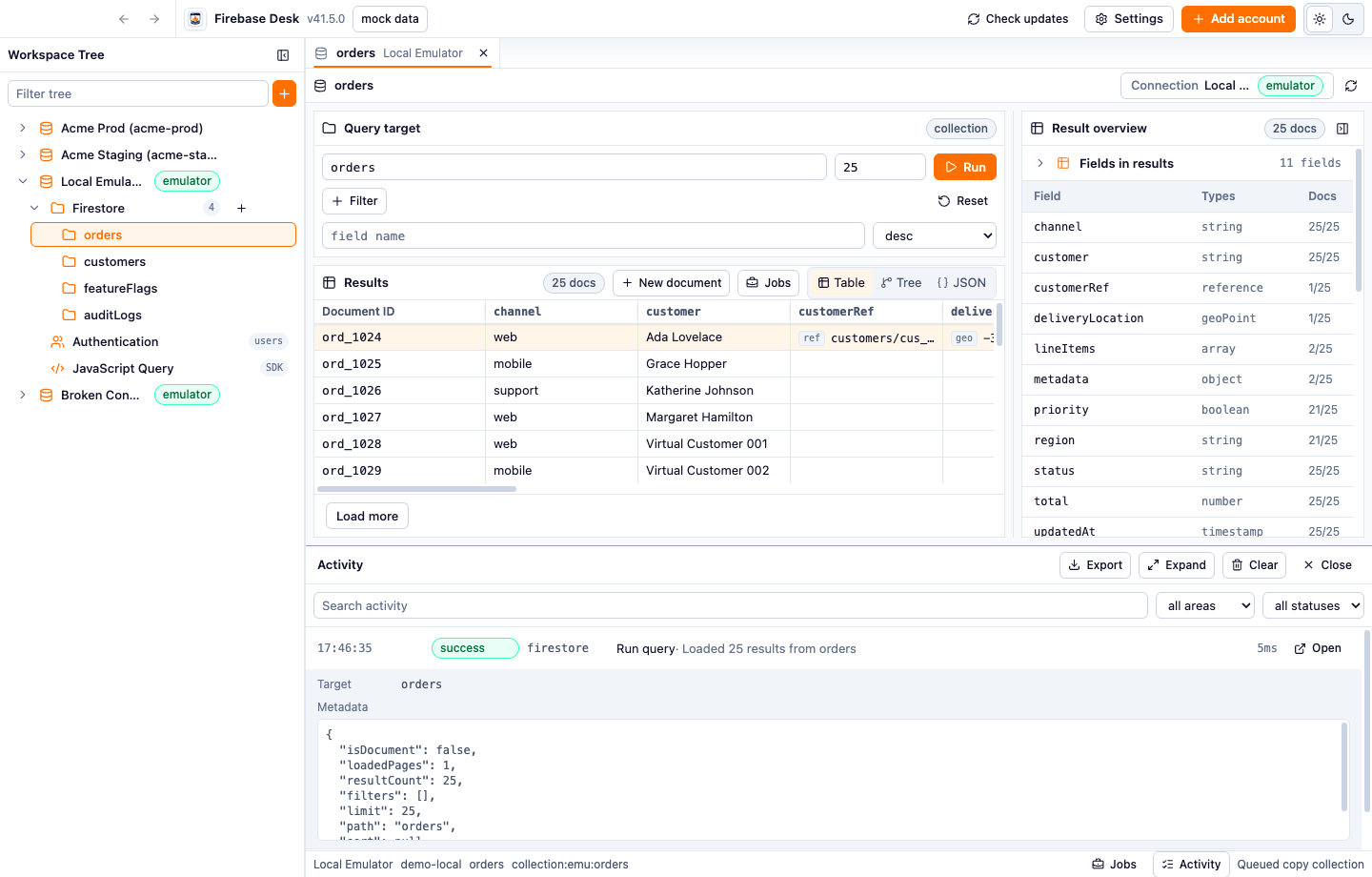
- Search by action, area, status, summary, target label/path/UID, or error message.
- Filter by area: app, auth, firestore, js-query, projects, settings, or workspace.
- Filter by status: success, failure, conflict, or cancelled.
- Expand an entry to inspect target, metadata, payload, and error details.
- Use the expanded drawer when you need more vertical space for long metadata.
Large metadata/payload previews are bounded in the drawer so one large document does not freeze the UI.
Reopen targets
Section titled “Reopen targets”Entries with supported targets show an Open action. Use it to return to the thing that produced the entry.
- Firestore document/query entries can reopen the relevant Firestore path on the recorded connection.
- Auth user entries can reopen Auth on the recorded connection and select the recorded user when available.
This matters most when you are reviewing a failure after switching tabs or after a collection job finishes in the background.
Issue indicator
Section titled “Issue indicator”Failures and conflicts are treated as Activity issues. If Activity is closed and a failure/conflict arrives, the status-bar Activity button shows an issue badge. Opening Activity clears the unread issue state after the drawer loads.
Use this as a lightweight safety net for background work: you can keep editing in another tab without missing a job failure, script failure, stale-write conflict, or workspace recovery issue.
Export, clear, and retention
Section titled “Export, clear, and retention”Activity is local to the app data folder.
- Export writes the currently filtered Activity entries to a JSONL file.
- Clear removes local Activity after confirmation.
- Settings can enable/disable Activity logging.
- Settings can choose detail mode: metadata-only or full payload.
- Settings can set the retention limit in MB. Older entries are pruned when the log exceeds that limit.
Payload capture is sanitized before storage. Credential-like fields such as private keys and service account JSON are omitted.
Practical use
Section titled “Practical use”For day-to-day Firebase work, Activity is most valuable as a context record:
- Confirm which environment a write or script touched.
- Review exactly when a production-sensitive action happened.
- Return from a job failure to the related Firestore or Auth target.
- Export a focused record of recent work before sharing context with another developer.
- See settings and workspace changes alongside data operations.