
Authentication
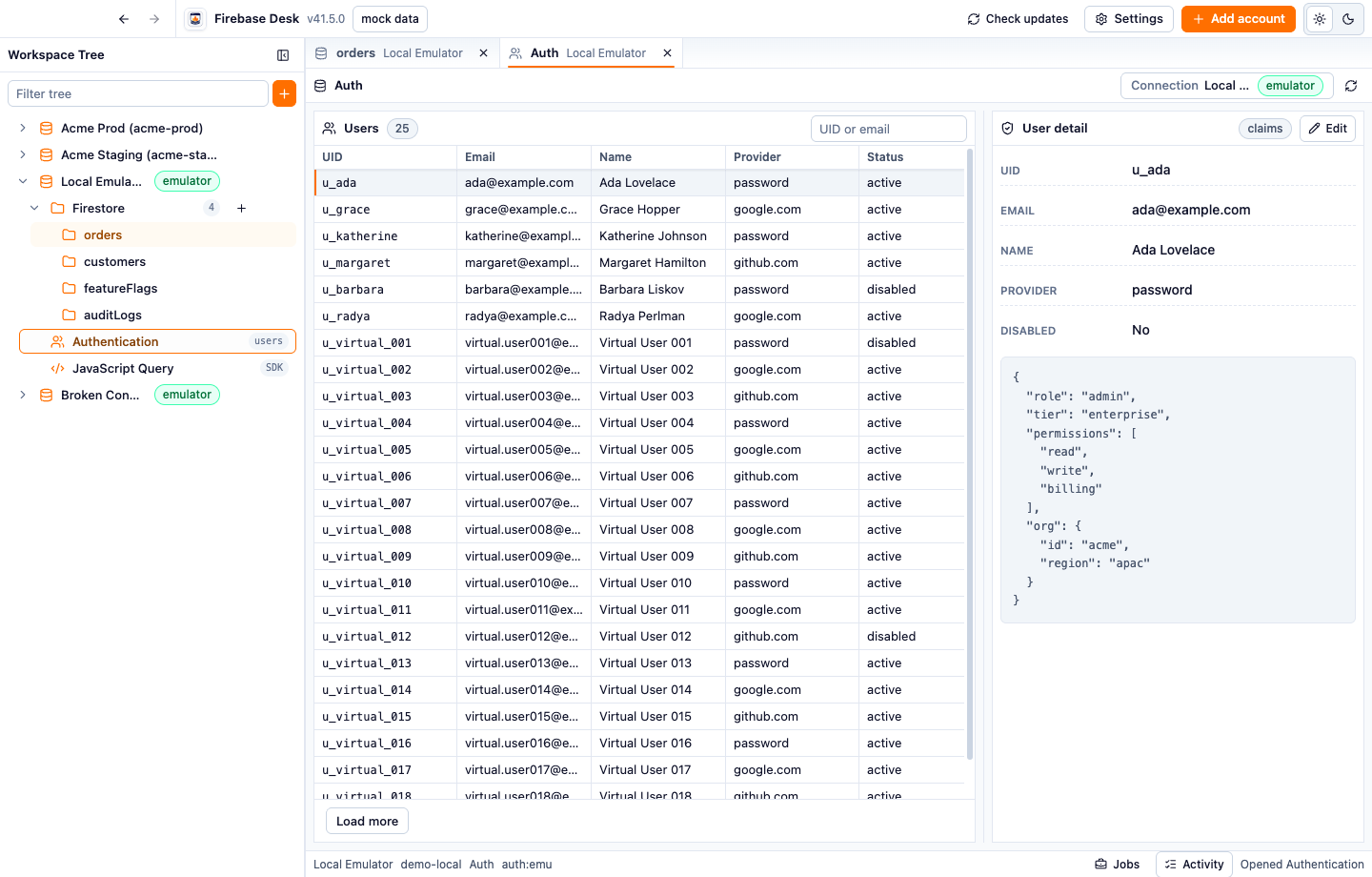
The Authentication surface is designed for account inspection while Firestore and script tabs stay open.
- List users for the selected connection.
- Search/filter user rows.
- Load more paginated users.
- Select a user to inspect details.
- See identity fields, provider, disabled state, email, display name, and custom claims.
Claims
Section titled “Claims”Custom claims can be edited from the selected user detail panel. Use this for admin/debug workflows where you need to verify authorization state across emulator, staging, or production.
Environment context
Section titled “Environment context”Auth tabs are connection-scoped. Switching the tab connection clears connection-specific runtime state so user detail from one environment is not carried into another.
Activity
Section titled “Activity”Auth operations create Activity entries with connection and user context. Use them to review custom-claims work and reopen the related Auth target later.